Bring opportunities together
Review research, laboratory and bioinformatics roles in one place.
I built CareerOS for my own job search in life sciences. I use it to review roles and prepare applications. Before developing it into a broader product, I want to test the prototype with other candidates.
In personal use · Public access planned
I wanted to make it easier to review roles and prepare applications.
While looking for work in molecular biology and genetics, I built CareerOS to help with that work. I want to find out whether it can also help other early-career candidates in life sciences review roles and understand their requirements.
I started building CareerOS to keep track of the roles I was reviewing and the applications I was preparing in one place.
I currently use CareerOS myself. The local demo is public; testing it with other candidates and opening wider access are the next steps.
Source code ↗The intended workflow covers reviewing roles and preparing applications. You can try the public demo locally with fictional data.
Review research, laboratory and bioinformatics roles in one place.
Compare the required skills, experience and eligibility conditions with your profile.
Prepare materials for the role, then review them and decide what to submit.
Read the source code or run the demo on your computer.
The GitHub repository has the source code, setup instructions and an offline demo with fictional data. A hosted public application is not available yet.
If you have Git and Python 3.12 or newer installed, run:
git clone https://github.com/Vipront/careeros.git
cd careeros
python scripts/demo.py
The demo uses three fictional vacancies and illustrative scores. It needs no credentials or extra Python packages, makes no network requests and creates no database.
Follow the README to create a virtual environment, install requirements-demo.txt, add the demo data and set a local password. Then start the Streamlit dashboard. The guide has commands for Windows and macOS/Linux.
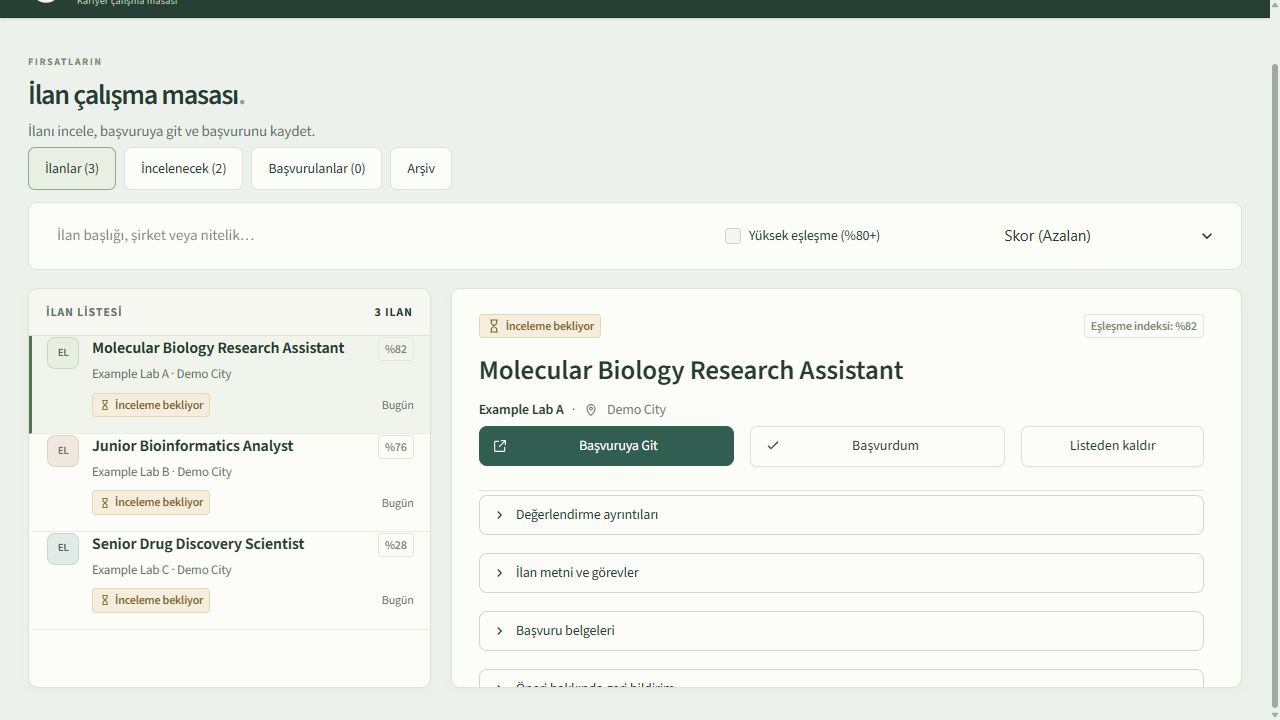
For the full workflow, follow the README: replace the example profile, review the document templates and configure the services you need. This takes additional setup beyond the offline demo.
I am using the prototype for my own job search.
Before opening CareerOS to a wider group, I want to hear how other candidates search for work and test it with a small group of users.
If you work in life sciences or are looking for your first role, I would like to hear where you get stuck. Email me to share your experience or discuss future user testing.